Download the Official Philadelphia Marathon Weekend race app today!
We’re excited at the positive vibes on race weekend, and look forward to seeing each of you at the finish line!
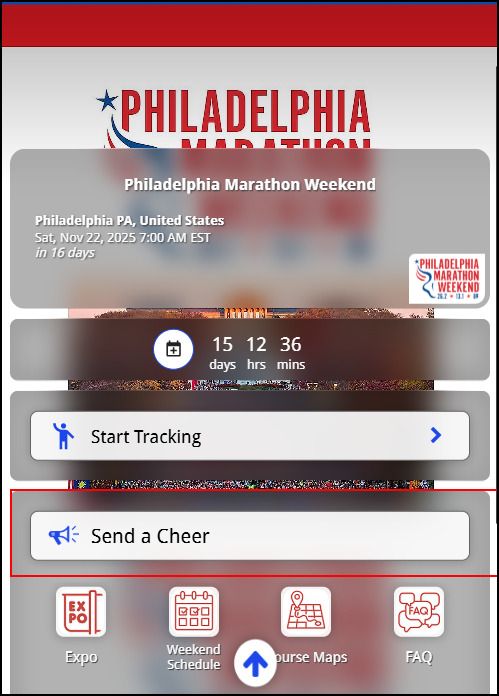
The official Philadelphia Marathon Weekend app is the one-stop tool for both participants and spectators alike – all in the palm of your hand!
Start off by downloading the app, create an account and login to the app. You can add runners to favorites and stay up-to-date all weeklong on their results.
Search Philadelphia Marathon in your Mobile App store, scan the code with your phone or click on the link below on your phone.
We’re excited at the positive vibes on race weekend, and look forward to seeing each of you at the finish line!
The official Philadelphia Marathon Weekend app is the one-stop tool for both participants and spectators alike – all in the palm of your hand!
Start off by downloading the app, create an account and login to the app. You can add runners to favorites and stay up-to-date all weeklong on their results.
Search Philadelphia Marathon in your Mobile App store, scan the code with your phone or click on the link below on your phone.
Note: Many participants have opted to keep their race results anonymous. If you cannot find a participant, contact them and ask for their bib number (information is available in their confirmation number screen in Race Roster). You can then track and follow them by entering their bib number in the app.
Athletes who change their mind on keeping their race results anonymous can go to the Solutions Desk at the expo and request a change there.
Send a Virtual Cheer!
Show your runner some support on race day! Your message will appear on a runner’s app on race day, a perfect boost when they need it most.
Just follow the instructions below to send a brief e-encouragement note to them for race weekend!
Step 1: Select “SEND A CHEER”
Step 2: Type in the name of the runner and select the runner.
Step 3: Enter your cheer and add an optional photo.